

Inventory Monitoring and Management in Supermarkets: How to Reduce Waste and Prevent Stockouts
Have you ever had a customer ask for a product in your supermarket, only to discover that it was unavailable even though your inventory records showed it was in stock? Or have you noticed products going to waste because they expired before being sold?
These issues do more than affect sales. They can increase operational costs and weaken customer trust in your business.
This is why inventory monitoring and management has become an essential part of running a successful supermarket or retail business. It helps businesses track stock levels, organize product movements, minimize waste, and ensure that customers can find the products they need at the right time.
With the advanced technology solutions offered by Zone X, businesses can improve their inventory monitoring and stocktaking processes instead of relying entirely on traditional manual methods.

What Is Inventory Monitoring and Management?
Inventory monitoring and management is the process of organizing, tracking, and controlling products within a store or warehouse, from receiving goods to selling them or transferring them between branches.
It includes monitoring available quantities, recording stock movements, tracking product expiration dates, and identifying items that need to be reordered.
The primary goal is to maintain a balance between product availability and avoiding excessive stock that exceeds business needs.
Why Is Inventory Monitoring and Management Essential for Supermarkets?
Supermarkets handle a large number of products every day, each with different sales rates, expiration dates, and storage requirements.
Without an effective inventory monitoring system, businesses may experience several common problems:
- Stockouts: Running out of popular products can result in lost sales opportunities.
- Overstocking: Purchasing unnecessary quantities increases storage costs.
- Expired products: Poor monitoring of food products can increase spoilage and waste.
- Inventory errors: Differences between actual stock and recorded quantities can lead to inaccurate purchasing decisions.
- Difficulty managing multiple branches: A lack of centralized inventory data makes it harder to track stock across different locations.
An effective inventory monitoring and management process helps improve operational efficiency and supports more accurate, data-driven decisions.
7 Steps to Improve Inventory Monitoring and Management and Reduce Waste
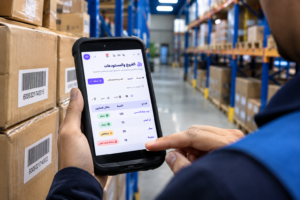
1. Organize Shelves and Assign Product Locations
Effective inventory management begins with proper product organization inside the supermarket and warehouse.
Assigning clear storage locations and arranging products according to their characteristics and turnover rates makes them easier to locate, count, and replenish.
Fast-moving products should be placed in easily accessible locations, while slower-moving items can be stored in designated areas.
2. Classify Products Using ABC Analysis
Not all products require the same level of inventory monitoring.
Businesses can classify stock based on its value and importance using ABC analysis:
- Category A: High-value products that require close monitoring.
- Category B: Medium-priority products that need regular review.
- Category C: Lower-value products that can be managed using simpler procedures.
This classification helps businesses focus their inventory control efforts on the products that have the greatest impact on operations.
3. Monitor Stock Movements in Real Time
Relying only on weekly or monthly stocktaking can lead to inventory shortages being discovered too late.
A better approach is to use an electronic inventory system connected to sales, receiving, and stock issuance processes, allowing inventory records to be updated automatically whenever a transaction occurs.
This is where Point of Sale (POS) systems and inventory management solutions become especially valuable, providing updated data that helps businesses track stock movements more efficiently.
4. Track Expiration Dates to Minimize Product Waste
Managing expiration dates is one of the most important challenges for supermarkets, particularly in food, beverage, and perishable product categories.
Businesses can reduce waste by recording expiration dates, monitoring products approaching expiry, and applying the FEFO (First Expired, First Out) method, which prioritizes selling or distributing products with the earliest expiration dates.
Automated alerts can also help employees identify products that require attention before they expire.
5. Set Minimum Stock Levels
Waiting until a product runs out before placing a new order can lead to temporary sales interruptions.
To prevent this, supermarkets should establish minimum stock levels for each product based on its sales rate and supplier lead time.
When stock reaches the predefined threshold, the inventory system can notify the responsible employee to consider reordering.
This approach helps reduce stock shortages without maintaining excessive inventory.
6. Implement Regular Digital Stocktaking
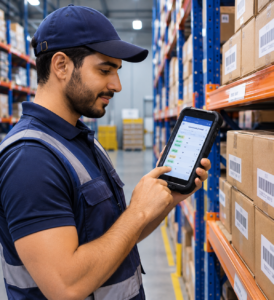
Digital stocktaking using barcode scanners or RFID technology can speed up inventory recording and reduce dependence on manual data entry.
Businesses can perform regular cycle counts for high-priority items rather than waiting for a complete physical inventory count.
This helps identify discrepancies between actual and recorded stock levels and allows businesses to address issues earlier.
7. Analyze Inventory and Sales Reports
Inventory monitoring and management should go beyond simply recording product quantities.
Businesses should regularly review inventory and sales reports to identify:
- Best-selling products.
- Slow-moving inventory.
- Inventory turnover rates.
- Products that require replenishment.
- Purchasing and storage requirements.
These insights support more informed purchasing decisions and help optimize warehouse storage capacity.
How Can Zone X Solutions Improve Inventory Monitoring and Management?
After understanding the key strategies for effective inventory management, the next step is choosing a technology solution that meets your business needs.
Zone X provides technology solutions for inventory management, warehouse operations, and retail businesses, helping organizations streamline daily processes and improve product tracking.
Depending on the selected system and business requirements, available capabilities may include:
Real-Time Inventory Monitoring
Track available product quantities and update inventory records whenever sales, stock additions, or stock issuance transactions are recorded.
Barcode and RFID-Based Stocktaking
Simplify product identification and stock movement recording while reducing errors associated with manual data entry.
Low-Stock and Expiration Alerts
Monitor products that need replenishment and identify items approaching their expiration dates.
Multi-Warehouse and Multi-Branch Management
Track inventory quantities and product movements across different locations through a more organized management process.
Reports and Analytics
Use inventory and sales information to evaluate performance, identify trends, and make better purchasing and storage decisions.
POS and ERP Integration
Connect inventory management with sales operations and other business resources, depending on system capabilities and available integrations.
When Does Your Supermarket Need an Electronic Inventory Management System?
It may be time to upgrade your inventory management system if your business frequently experiences stocktaking errors, difficulty identifying actual stock levels, recurring stockouts, or an increase in slow-moving products.
An electronic inventory management system becomes even more important as a business expands, opens additional branches, or handles a larger number of products and suppliers.
The key is choosing a solution that matches your business size, product categories, and daily operational requirements.
Frequently Asked Questions About Inventory Monitoring and Management
What Is the Difference Between Inventory Management and Stocktaking?
Inventory management covers the overall process of tracking products and organizing purchasing, storage, sales, and stock issuance activities.
Stocktaking, on the other hand, is the process of physically counting products and comparing actual quantities with inventory records.
How Can Businesses Reduce Inventory Errors?
Businesses can reduce inventory errors by organizing products, using barcode scanners, updating records after each transaction, conducting regular stock counts, and reviewing discrepancies consistently.
Can One System Manage Inventory Across Multiple Branches?
Yes. Some inventory management systems allow businesses to monitor multiple warehouses and branches through centralized inventory data.
The exact features and capabilities depend on the system being used.
Why Is POS Integration Important for Inventory Management?
Integrating inventory management with a POS system helps update stock quantities as sales occur, reduces inventory discrepancies, and provides more accurate information about product availability.
Conclusion
Inventory monitoring and management is no longer just about counting products stored in a warehouse. It has become an essential part of improving business efficiency, reducing waste, and maintaining consistent sales operations.
By organizing shelves, monitoring expiration dates, implementing digital stocktaking, and analyzing product movements, businesses can build a more accurate and flexible inventory management process.
With Zone X, take the next step toward smarter inventory management for your business.
Explore our inventory and warehouse management solutions and discover the system that best fits your supermarket, retail store, or business operations.
Request your consultation today through our official website:
