

POS System for Retail Stores: How to Manage Sales, Inventory, and Customer Experience Efficiently
Have you ever noticed how long checkout lines frustrate customers, slow down sales, and make daily store operations more difficult?
For retail business owners, the challenge is not simply attracting more customers. It is about serving them quickly, processing transactions accurately, and keeping sales and inventory organized.
As businesses grow and product ranges expand, relying on manual billing and outdated cash registers can lead to costly mistakes, longer waiting times, and inefficient operations.
This is where a POS system for retail stores becomes essential.
Modern Point of Sale (POS) systems are no longer limited to printing receipts. When combined with compatible software, they can help businesses manage transactions, monitor inventory, and make better operational decisions.
In this guide, we will explore the common challenges facing retail businesses and how Zone X POS solutions can help improve checkout efficiency, store management, and the overall customer experience.
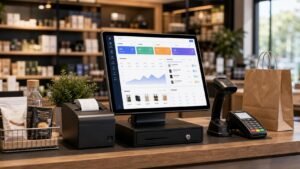
Common Challenges Facing Retail Store Owners
1. Slow Checkout During Busy Hours
During peak shopping hours, manually entering product prices or using outdated checkout equipment can significantly delay transactions.
Long queues can frustrate customers and negatively affect their shopping experience, even when your products and prices are competitive.
A modern POS cash register equipped with a barcode scanner and touchscreen can help streamline the checkout process.
2. Pricing and Billing Errors
Manual data entry increases the risk of incorrect prices, calculation errors, and inaccurate receipts.
These mistakes can create confusion, require transaction corrections, and make daily financial reconciliation more complicated.
3. Difficulty Tracking Inventory
Inventory management is one of the biggest challenges for retail businesses.
Without accurate stock records, store owners may struggle to identify products that are running low or determine which items are selling slowly.
This can lead to missed sales opportunities, unnecessary purchasing, and inefficient inventory management.
4. Limited Visibility into Daily Sales
How much did your store sell today?
Which products generate the most revenue?
Which items need to be restocked?
Without organized sales records, answering these questions can become difficult.
A compatible POS software solution with reporting capabilities can help business owners access sales information and make more informed decisions.
How Can a POS System for Retail Stores Solve These Problems?
A modern retail POS system combines essential checkout hardware with compatible Point of Sale software.
Together, these components help businesses organize transactions, generate receipts, and manage daily sales activities.
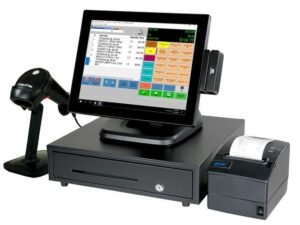
One available solution is the Zone X 15-inch Touchscreen POS System for Retail Stores, which includes a touchscreen terminal, receipt printer, barcode scanner, and cash drawer.
Explore the Zone X POS System for Retail Stores to learn more about the available equipment and package details.
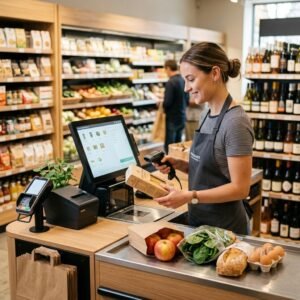
1. Faster Checkout with Barcode Scanning
A barcode scanner allows employees to add products to transactions without manually typing product information.
When products and prices are correctly configured in the POS software, scanning a barcode can simplify the checkout process and reduce repetitive tasks.
This is especially valuable for supermarkets, convenience stores, and businesses processing multiple transactions throughout the day.
2. Organized Receipt Printing
A receipt printer helps businesses provide customers with clear records of their purchases.
Depending on the software used, transaction records may also be available for future reference, returns, and sales reconciliation.
3. Better Inventory Management
When connected to compatible inventory management software, a POS system can help businesses monitor product quantities and stock movements.
This allows retailers to identify items that require restocking and improve inventory planning.
The availability of these functions depends on the POS software and its configuration.
4. Improved Sales Monitoring
POS software with reporting features can help business owners review sales performance, identify popular products, and analyze transactions over selected periods.
These insights can support pricing, purchasing, and operational decisions.
Zone X POS System for Retail Stores: A Complete Checkout Solution
Zone X offers a 15-inch touchscreen POS system designed to support everyday retail checkout operations.
The system combines essential hardware components into one practical package, making it suitable for businesses setting up a new checkout counter or upgrading their existing equipment.
According to the product information, the package includes installation and employee training.
This can help businesses prepare their checkout operations and become familiar with the system.
For more details, visit the Zone X Retail POS Machine Product Page.
Practical Applications of POS Systems Across Retail Businesses
1. POS Systems for Clothing Stores
Clothing retailers often manage products with different sizes, colors, and styles.
This creates a need for accurate product organization and efficient checkout procedures.
For example, when a customer purchases several clothing items, the cashier can use a barcode scanner to add them to the transaction and print a receipt.
With compatible inventory software that supports product variations, the business may also track available stock for individual sizes and colors.
2. POS Systems for Supermarkets and Grocery Stores
Supermarkets and grocery stores handle a wide range of products and frequent customer transactions.
A touchscreen POS system with barcode scanning can help employees process sales more efficiently.
When connected to compatible inventory software, the system can also support product tracking and stock management.
3. POS Systems for Restaurants and Cafés
Restaurants and cafés require organized order processing, billing, and checkout operations, especially during busy periods.
A POS terminal can be used alongside restaurant management software to support these tasks, depending on the software’s available features.
Zone X also offers technology solutions for different commercial activities, allowing business owners to explore options that match their operational requirements.
4. POS Systems for Pharmacies
Pharmacies need accurate product identification and efficient transaction processing.
Barcode scanners and receipt printers can support daily checkout operations.
However, specialized functions such as medication batch tracking and expiry date management require compatible pharmacy software.
5. POS Systems for Electronics Stores
Electronics retailers often manage multiple product categories, models, and price points.
A POS system can help organize transactions, issue receipts, and maintain sales records.
Additional inventory and reporting functions depend on the software used.
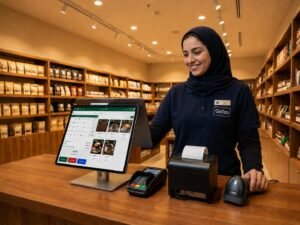
Business Benefits of Using a Modern Retail POS System
Improved Employee Efficiency
Combining a touchscreen terminal, barcode scanner, and receipt printer can reduce manual checkout steps.
This allows employees to focus more on serving customers and completing transactions.
Better Customer Experience
A more organized checkout process can reduce unnecessary delays and improve customer convenience.
This is especially important for stores with high transaction volumes.
Reduced Operational Errors
Barcode scanning and predefined product pricing can help reduce manual entry mistakes.
However, accurate product information and regular software updates remain essential.
Smarter Inventory Decisions
Reliable sales and stock records can help store owners identify fast-moving products and items that need replenishment.
This supports more informed inventory purchasing decisions.
Greater Operational Visibility
Organized sales data can give business owners a clearer understanding of their store’s performance.
With suitable software, this information may help support decisions about product selection, staffing, and business expansion.
What Does Research Say About Inventory Accuracy?
A 2026 study published in the Journal of Business Logistics examined approximately 24,000 stock-keeping units across 11 grocery stores.
The study reported an 11% increase in sales associated with inventory audits, with improvements concentrated among products affected by inventory record inaccuracies.
These findings highlight the commercial importance of maintaining accurate inventory information.
However, the results should not be interpreted as a guaranteed sales increase from purchasing a POS terminal.
Business outcomes depend on inventory management practices, software capabilities, staff processes, and other operational factors.
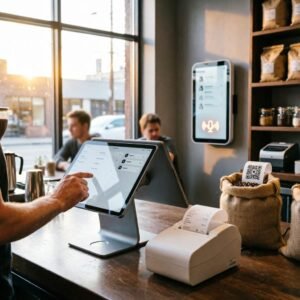
How to Choose the Right POS System for Your Retail Store
Before purchasing a POS cash register, business owners should evaluate their specific operational needs.
Consider the following factors:
- Business type: Choose a POS solution that supports your retail activity.
- Transaction volume: Consider how many customers your business serves daily.
- Hardware requirements: Check whether the system includes a touchscreen, barcode scanner, receipt printer, and cash drawer.
- Software compatibility: Confirm support for the sales, inventory, and reporting functions your business needs.
- Payment requirements: Verify compatibility with your preferred payment methods and payment terminals.
- Local compliance: Check applicable Saudi electronic invoicing and regulatory requirements.
- Installation and training: Review the services included with the product.
- Technical support: Ask about support availability and maintenance arrangements.
Choosing the right POS system involves more than comparing prices.
A suitable solution should match your business operations and provide the features required for efficient daily management.
Why Choose Zone X for Your Retail POS Equipment?
Zone X provides business technology solutions in Saudi Arabia, including Point of Sale equipment and software solutions for different commercial activities.
Its retail POS package brings together essential checkout components, including a touchscreen terminal, barcode scanner, receipt printer, and cash drawer.
According to the product page, installation and employee training are included in the package.
This makes the solution worth considering for retailers who want to establish or upgrade their checkout setup.
Explore the available Zone X Point of Sale Systems to compare available solutions.
Frequently Asked Questions (FAQ)
What is a POS system for retail stores?
A POS system is a combination of hardware and software used to process sales transactions, issue receipts, and organize checkout activities.
Depending on the software, it may also support inventory management, reporting, and other business functions.
Is a POS system suitable for small retail businesses?
Yes. POS systems can be suitable for both small and medium-sized businesses, provided the equipment and software match their needs and budgets.
Can a POS system track inventory?
Yes, when connected to compatible inventory management software with properly configured product records.
Does the Zone X POS package include a receipt printer and barcode scanner?
According to the published product details, the Zone X 15-inch touchscreen POS package includes a receipt printer, barcode scanner, and cash drawer.
Can a retail POS system generate sales reports?
Many POS software solutions offer reporting features, but the available reports depend on the software and its configuration.
Does Zone X provide installation and training?
The Zone X retail POS product page states that installation and employee training are included in the advertised package.
How much does the Zone X retail POS system cost?
The previously listed price was SAR 3,500. Prices may change, so customers should check the current price on the official product page before purchasing.
Can the system be used in restaurants and pharmacies?
POS hardware can be used across different industries, but restaurants and pharmacies may require specialized software features.
Businesses should verify compatibility before selecting a solution.
Conclusion: Upgrade Your Retail Checkout Experience with Zone X
Running a successful retail business requires more than offering quality products and competitive prices.
Efficient checkout operations, accurate transaction records, and organized sales data all contribute to better business management.
Choosing the right POS system for retail stores can help simplify daily operations, improve checkout efficiency, and support a better customer experience.
With the Zone X POS solution, retailers can equip their checkout counters with a touchscreen terminal, barcode scanner, receipt printer, and cash drawer.
Ready to upgrade your store’s checkout system?
Explore the Zone X POS System for Retail Stores
Contact: +966 54 116 8537
Website: https://zonex-pro.com/
